Prompt-first creators
You know the setting, relationship, mood, and camera angle but have no source image.
A compact brief keeps the action, timing, and visual tone together before generation.
vidu ai video generatorFocused video workflow
The vidu ai kiss route is a focused way to plan a brief affectionate moment from a prompt or image. Use the console to describe the characters, mood, camera movement, and boundaries before handing the request to the creation tool.
Choose your starting point
A focused scene brief is useful when the emotional action is already clear. Choose the route that matches how much control you want over the full video.
You know the setting, relationship, mood, and camera angle but have no source image.
A compact brief keeps the action, timing, and visual tone together before generation.
vidu ai video generatorYou have a suitable still image and want to animate a tender interaction without rebuilding the whole composition.
An image-led workflow preserves the starting look while giving the motion a clear purpose.
vidu image to videoThe same people need to remain recognizable across a short romantic beat.
A reference-led setup gives identity and pose more attention than a generic prompt.
reference to video ai freeYou need a short emotional insert for a vertical story, teaser, or social sequence.
A concise scene can become one shot inside a larger edit rather than the entire production.
vidu ai for youtubeRelated routes
Move between prompt, image, and reference workflows when the first approach does not preserve the look or motion you need.
Simple launch path
Write the intent first, then add visual direction and review the result as a short shot. Specificity helps, but a clean prompt is easier to correct than a crowded one.
Name the consenting adult characters, location, time of day, emotional tone, and the single action that should happen.
Add framing, movement, lighting, duration, and pacing. Ask for a gentle, natural motion instead of stacking several actions together.
Check identity, hands, faces, contact, and continuity. If the motion drifts, simplify the prompt or switch to an image or reference-led route.
Plan the output
Use the slider as a planning aid for prompt detail. More detail can clarify the shot, but it does not guarantee perfect motion or continuity.
Know the boundaries
A focused romantic scene is still generated video, not a guarantee of realism or editorial control. Plan around these common failure points before you rely on a result.
Hands, lips, teeth, and facial movement may look unstable during close interaction.
WorkaroundUse a wider shot, softer lighting, slower action, and fewer simultaneous gestures.
A prompt may describe mood, but the tool does not verify who the people are or whether the scenario is appropriate.
WorkaroundDescribe consenting adults clearly and avoid real-person likenesses without permission.
The output is a short generated shot, not a complete sequence with music, captions, transitions, or continuity coverage.
WorkaroundTreat it as an insert and assemble the final story in a separate editor.
Clothing, age cues, background details, and identity can shift between attempts.
WorkaroundKeep the reference clean, reduce motion, and regenerate with fewer visual changes.
Visual check
The useful change is not simply adding motion. It is turning a static setup into one readable action while keeping the framing and emotional tone intact.

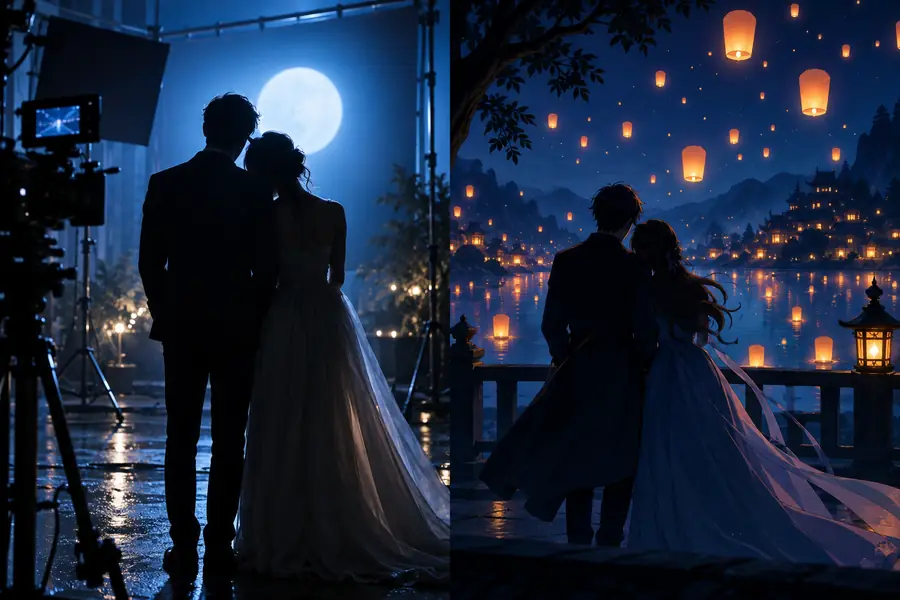
Compare the action, framing, and identity before publishing.
A focused sequence
Keep the first pass narrow and judge it as an editor would: does the action read, does the image hold together, and does the shot fit the story?
Common questions
Answers to the questions people ask when looking for a dedicated kiss-scene workflow or app.
It is a focused workflow for creating a short affectionate video moment from a written scene idea, image, or reference. It works best as one clearly defined shot with consenting adult characters and a simple emotional action.
The experience is generally approached as an online creation workflow rather than a separate app with a different creative engine. If you are using a phone, open the supported web experience and keep the prompt short enough to review comfortably.
Describe the adults, setting, mood, camera framing, and one gentle action, then review the generated clip for face, hand, and continuity errors. Start with a wider composition if close contact produces unstable motion.
Only use images when you have permission from the people depicted and the scenario is appropriate. A clean, well-lit reference can help preserve appearance, but it still cannot guarantee exact identity or natural contact in every output.